Rivul Atlas: connect AI agents to research papers through MCP and a REST API

Rivul Atlas is the Rivul AI MCP server and REST API for read-only AI research. Search 300M+ scholarly works and return normalized titles, authors, years, citation counts, DOI links, and source URLs through one workspace-scoped service. Setup is verified for Claude Code and OpenAI Codex; the client guides below record which others are still blocked.

Available to every Rivul AI account, within fair-use limits.

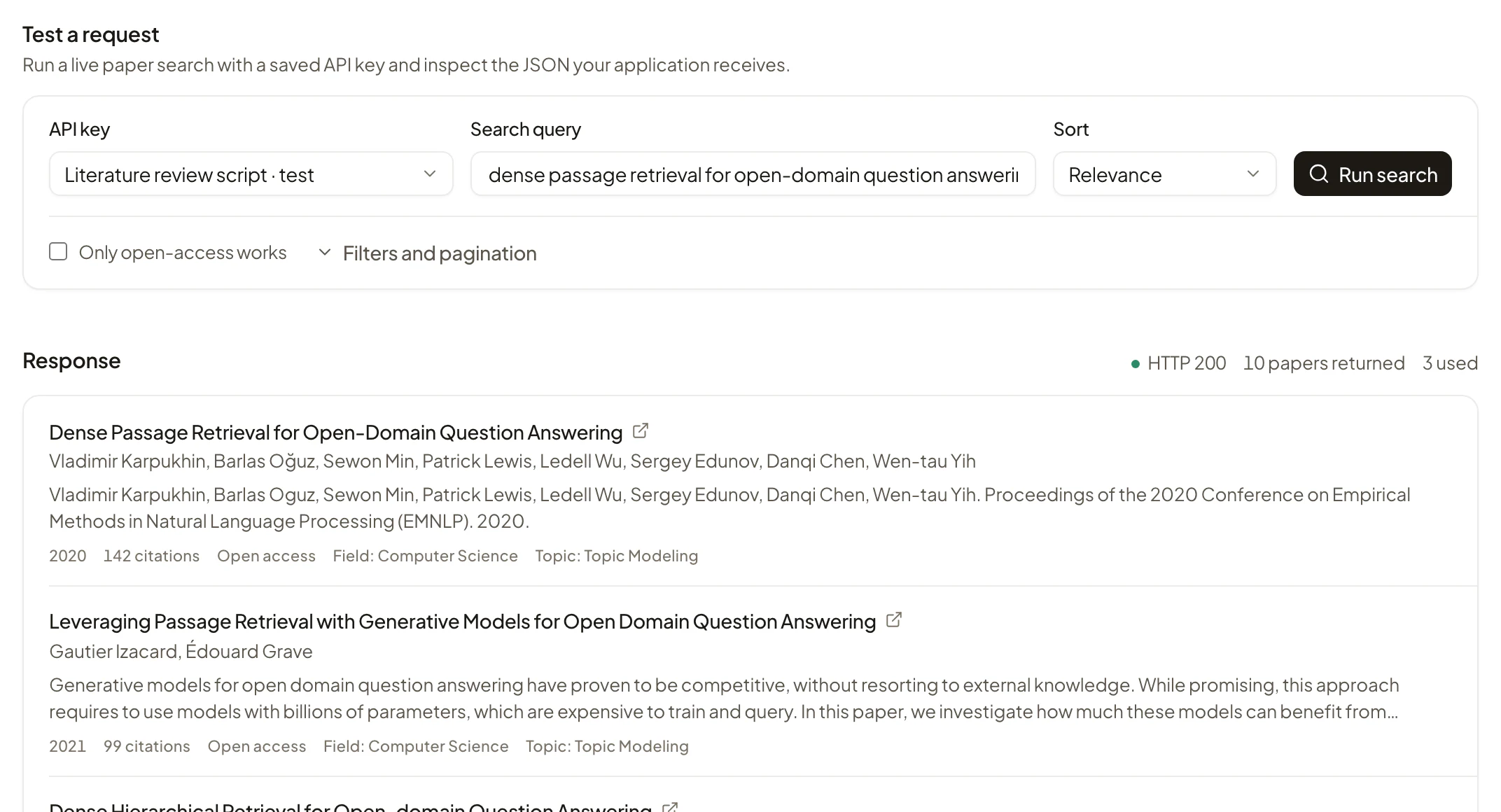
Rivul Atlas API playground with a saved test key, a live search for dense passage retrieval, and an HTTP 200 response listing papers with authors, year, and citation counts.

Connect Atlas to the client you already use

Each card opens the client's official MCP documentation. The setup guide in Rivul Atlas gives the Atlas-specific steps.

These links document each client's MCP support. They do not imply a partnership, endorsement, or certification of every client-specific flow.

Choose the interface that fits the work

REST is for software. MCP is for AI clients. Both use the same validated search capability and return the same normalized scholarly metadata.

For applications and automations

Atlas REST API

Add research-paper search and citation metadata to a backend service without running a search index or translating provider records yourself.

POST /api/atlas/v1/searchSearch scholarly metadata
GET /api/atlas/v1/usageRead API usage
GET /api/atlas/openapi.jsonOpenAPI 3.1 contract

Dedicated Atlas API key

For compatible AI clients

Atlas MCP server

Give an AI agent a small, discoverable set of read-only research tools instead of pasting paper results into each conversation.

search_papersSearch scholarly works and return structured metadata.
get_paper_detailsReturn the full record for one work by its OpenAlex ID.
usage_statusRead today's usage against fair-use daily limits.
What is MCP for AI research?

Browser sign-in or a dedicated MCP key

Metadata, not hosted full text. Atlas returns scholarly metadata and source locations. The original publication remains the authority for the paper and its findings.

Connect with browser sign-in or a key

Personal clients can use browser authorization. Scripts and managed environments can use a dedicated, revocable service key.

Personal connection

Browser sign-in

Add the Atlas MCP URL. The client opens Rivul so you can sign in, choose a workspace, review access, and approve the connection.

  • No key to paste into the client
  • Workspace-scoped access
  • Visible and revocable in Atlas
Managed connection

API and MCP keys

Create a named key for an application, script, or managed environment. API and MCP keys are separate and cannot be used interchangeably.

  • Complete key shown once
  • Separate usage boundaries
  • Immediate revocation
  1. 01Open Atlas

    Use a confirmed Rivul AI account.

  2. 02Choose REST or MCP

    Create the matching key, or use browser sign-in for MCP.

  3. 03Test a search

    Inspect the structured result and usage in the Atlas console.

What is available now, and what comes next

Atlas begins with read-only scholarly search. New capabilities join the API and MCP only after the shared implementation is stable and measurable.

Available now
  • Paper search with bounded filters and sorting
  • Titles, authors, year, DOI, venue, and source links
  • Full record by OpenAlex ID over MCP (get_paper_details)
  • Separate API and MCP usage, measured per UTC day
  • Workspace-scoped keys, activity, and revocation
Coming soon
  • Deterministic lookup by DOI
  • Open-access resolution with provenance
  • Related-paper discovery and journal-scope matching
  • Reproducible landscape reports through Rivul Intelligence