AI research platform
Grounded AI research writing, from PDF to submission.
Rivul AI is an AI research platform for researchers and students. Read your PDFs, draft with AI grounded in those papers, and attach citations as you write. When a claim needs a source, ask across your Library or the Rivul Index. When the manuscript is ready, export it to Word or LaTeX.
Free for every account. Sign in with Google to start; AI features run on your own API key.
Included with every free account
From paper search to a cited manuscript.
Everything below is free. AI features use your own key from Google Gemini, OpenAI, Anthropic, xAI, Mistral, or Meta, and that provider bills you directly. Each account stores up to 5 PDFs.
- Paper search across 300M+ works, with source links
- Rivul Atlas search from your own apps (REST API) and AI clients (MCP)
- AI autocomplete, drafting, rewrites, and proofreading
- Titles, abstracts, Related Work, and version history
- Equations, tables, and footnotes
- Citations and bibliography in IEEE, ACM, APA, MLA, and Chicago styles
- Claim checks, evidence maps, and matrices
- Research gaps, contradictions, and reproducibility checks
- Citation checks and submission preflight
- Export to Word, LaTeX, BibTeX, Markdown, plain text, and IEEE ZIP
The problem
Reading, drafting, and citing usually happen in separate apps.
Citations drift when work moves between tools. Rivul AI keeps reading, drafting, and citing in one workspace.
- Read in a browser, PDFs in a folder
- Hunt citations in Zotero
- Draft in Word
- Format by hand
- Convert to LaTeX at the end
- Read and draft in one workspace
- Citations added as you write
- Grounded in your own library
- Numbering and styles always in sync
- Export to IEEEtran LaTeX or IEEE Word
![Rivul AI paper editor with a short review draft on retrieval-augmented generation, numbered citations [1] to [4], and a live IEEE reference list.](/_next/image?url=%2Fapp-screens%2Feditor.webp&w=3840&q=95&dpl=dpl_ExQS7kowRhvZCv7chcq6ptAPtq6G)
Built in
Library, editor, and export in one workspace.
Library, editor, analysis tools, and export share the same workspace. Upload a PDF, draft beside it, run preflight, and ship IEEEtran LaTeX or Word from the same page.
- PDF library with reader, highlight-to-cite, and in-document chat
- Autocomplete grounded in papers you uploaded
- Citations resolved from Crossref and DOI records
- Accept or reject every AI suggestion inline
- Evidence matrix, claim map, and Related Work drafts
- Reproducibility checklist, review lenses, and IEEE preflight
- Read, write, cite, verify, and export without switching apps
Unified workspace
Quote a source beside your draft.
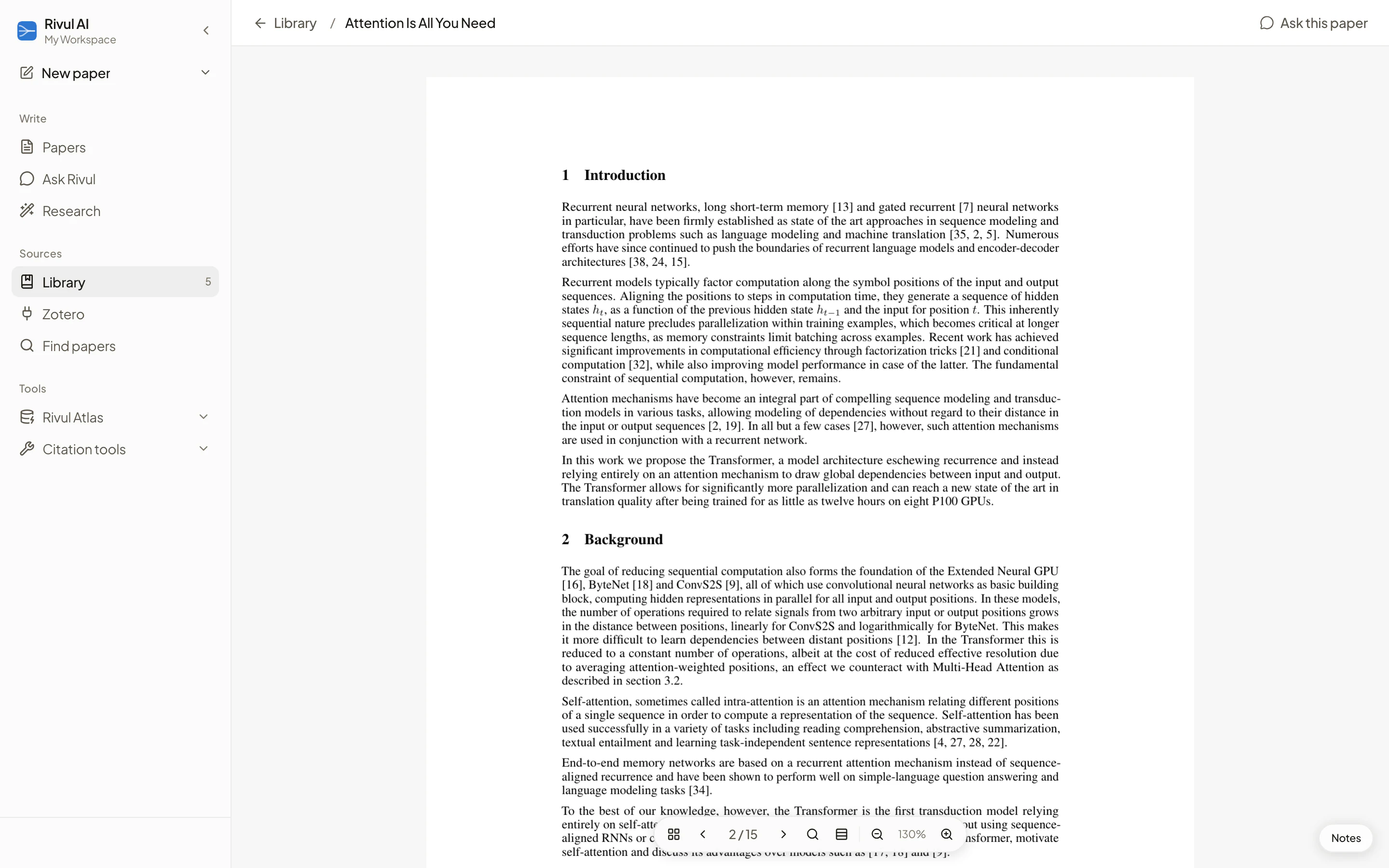
Search literature, open the typeset PDF beside your prose, and pull quoted passages in with citations attached.
Open the PDF and select the passage you want to cite.
Research workflows
Common research workflows
Follow an evidence-first path for the research task in front of you, then inspect the product details behind it.
Research assistant
Ask your Library, this paper, or the Rivul Index.
Ask in plain language. All sources combines indexed scholarly papers with usable Library text. Choose Papers for the Rivul Index, Library for your saved sources, or This paper for the manuscript open in the editor. Library answers require extracted PDF text.
- Grounded in your own PDFs or in indexed scholarly papers
- Source-backed answers link to the papers used
- Insert into your draft, already cited
Explore the Open Research workspace, or see how to choose sources and inspect an answer before adding it to your draft.

Analyze
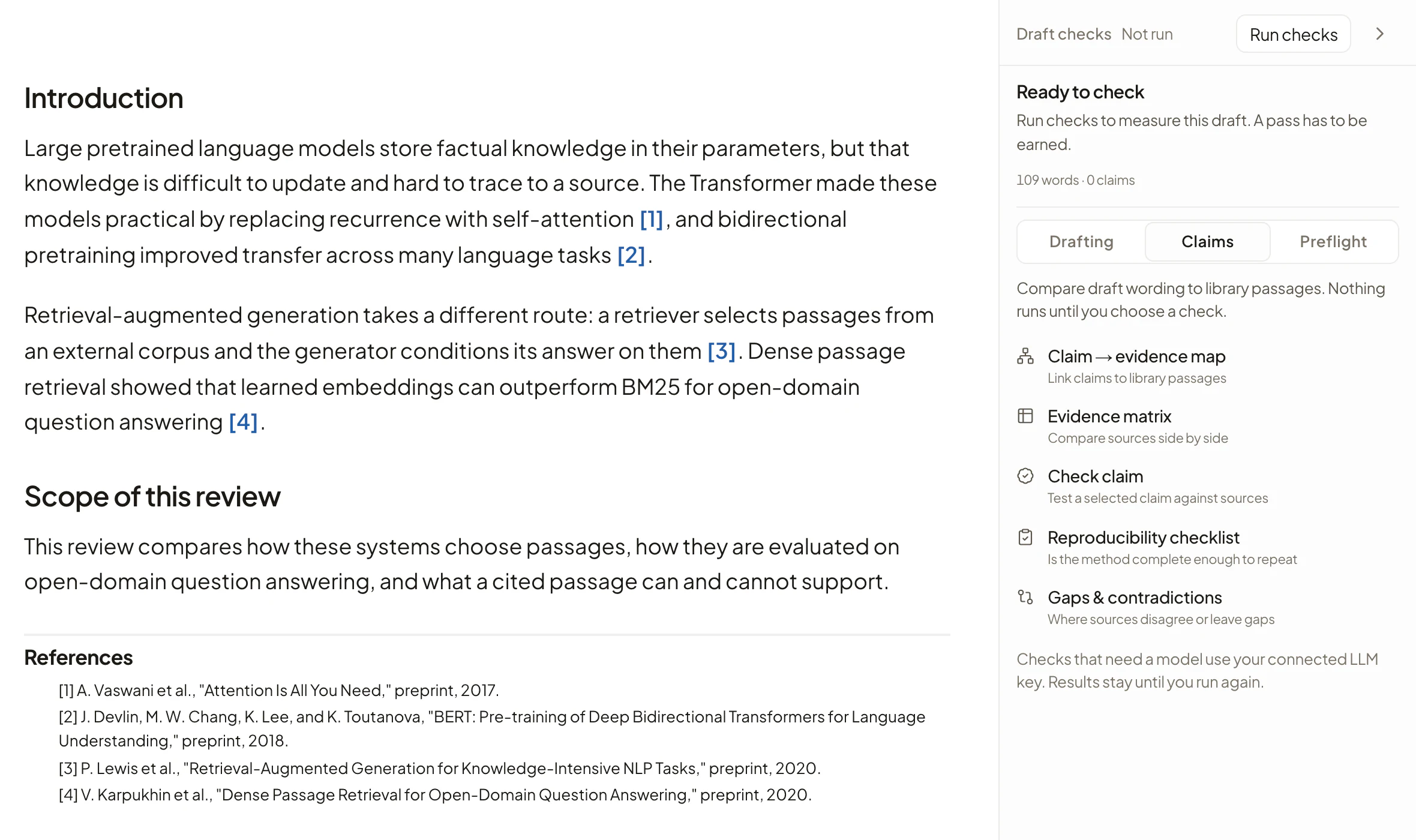
Compare evidence. Check a claim. Draft Related Work.
Turn cited papers and library PDFs into a table of findings, check a sentence against your sources, map draft sentences to library evidence, or draft Related Work, all from the same editor.
- Evidence matrix from your citations and library
- Claim → evidence map with CSV export
- Draft Related Work from selected library papers
- Check a selected sentence against your sources
For a worked process and a blank CSV template, follow the literature review evidence matrix guide.
Grounded writing & editorial control
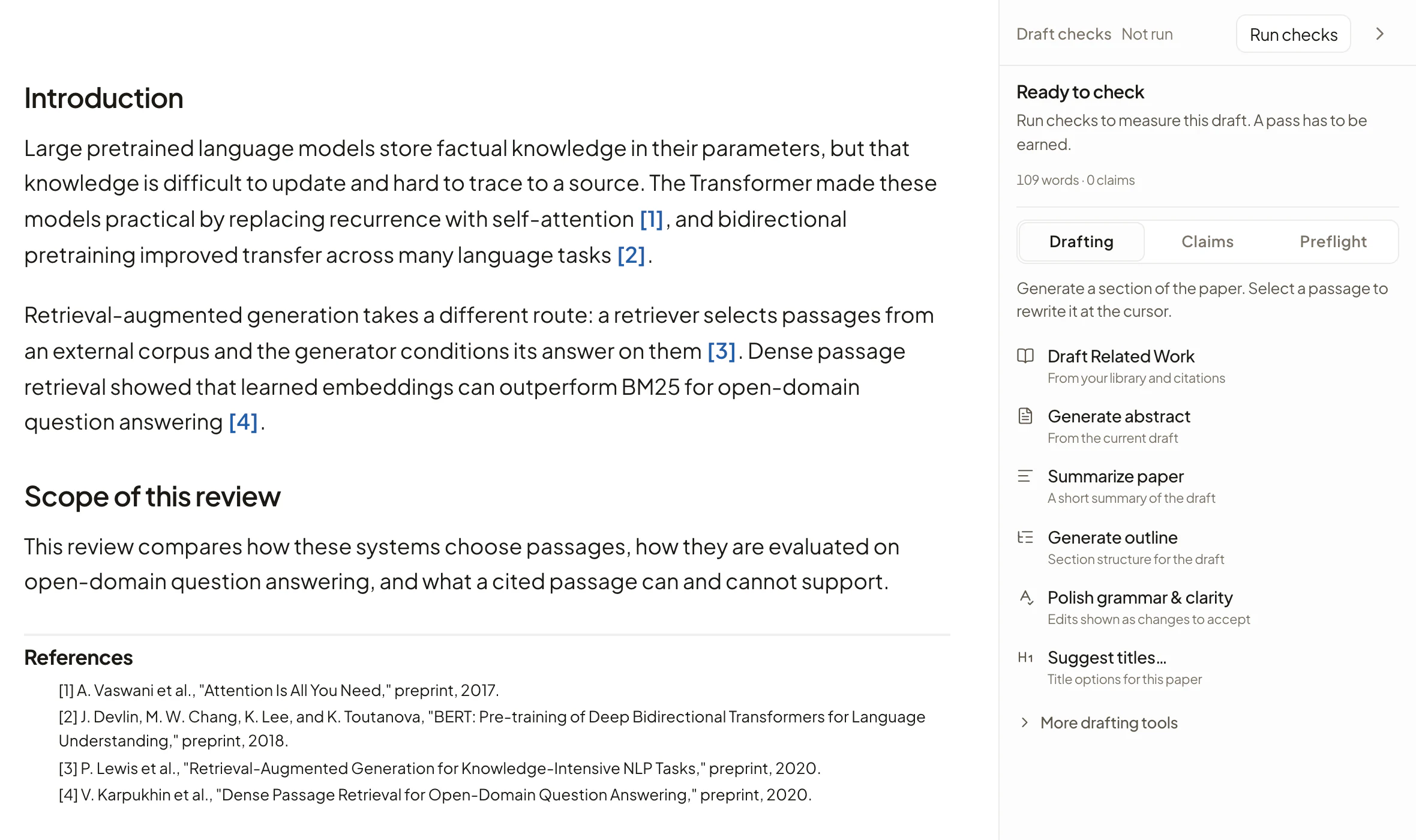
Autocomplete that cites what you've read. Suggestions you control.
Pause, and autocomplete draws on passages from your library. Rewrites and polish appear as tracked changes with live diffs. Accept or reject each revision; your prose is never overwritten blindly.
- Grounded autocomplete with library-backed citations
- Tracked changes mode: inline Accept / Reject diffs
- Live word counts under every section heading
- Rewrite Academic, Formal, or Concise; tone includes Formal academic
- Rewrite preserves citations; Polish tightens phrasing
The citation engine
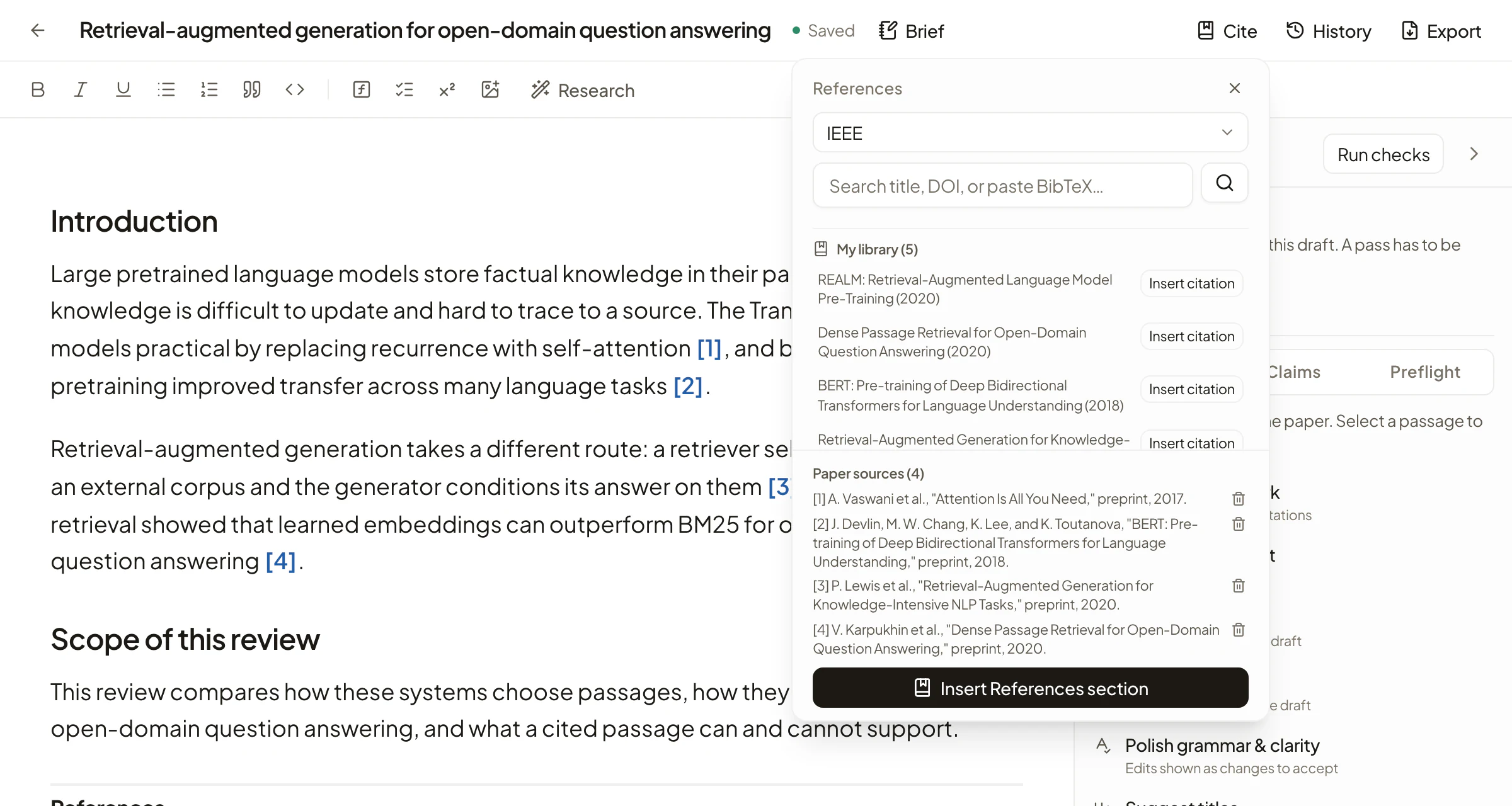
Every [n] is live.
Search, cite, and let numbering follow first-citation order automatically. Hover any bracket for the source; switch styles and every marker repaints. Run Source quality before you submit to flag retracted and preprint references.
- IEEE, ACM, APA, MLA & Chicago, markers & bibliography in sync
- Hover any marker for its source card
- Retraction & preprint checks against Crossref
- Live bibliography updates on cut, paste, or delete
Library & reader
Your sources, read where you write.
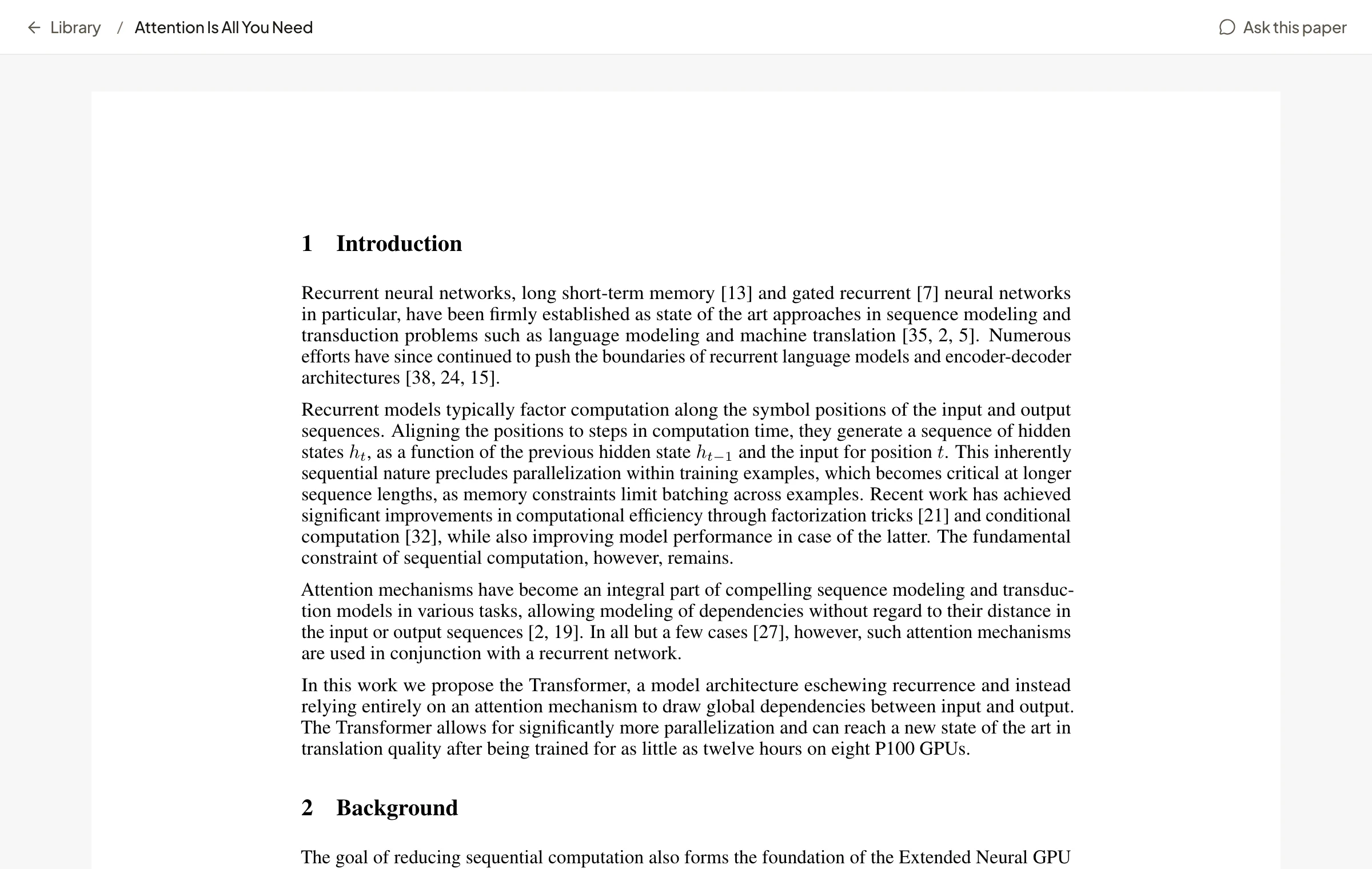
Upload PDFs or pull them by DOI, arXiv, or a .bib file. Read the real typeset paper, not a stripped text dump. Select a passage to copy it as a quote with its citation attached, or ask about it in chat.
- Real PDF reader with continuous scroll & text search
- Highlight to copy quote with pre-attached citation
- In-reader grounded chat & select-to-explain
- DOI · arXiv · Unpaywall · .bib · Zotero import
- OCR for scanned PDFs without text layers
Export and submit
Draft in prose. Export structured source.
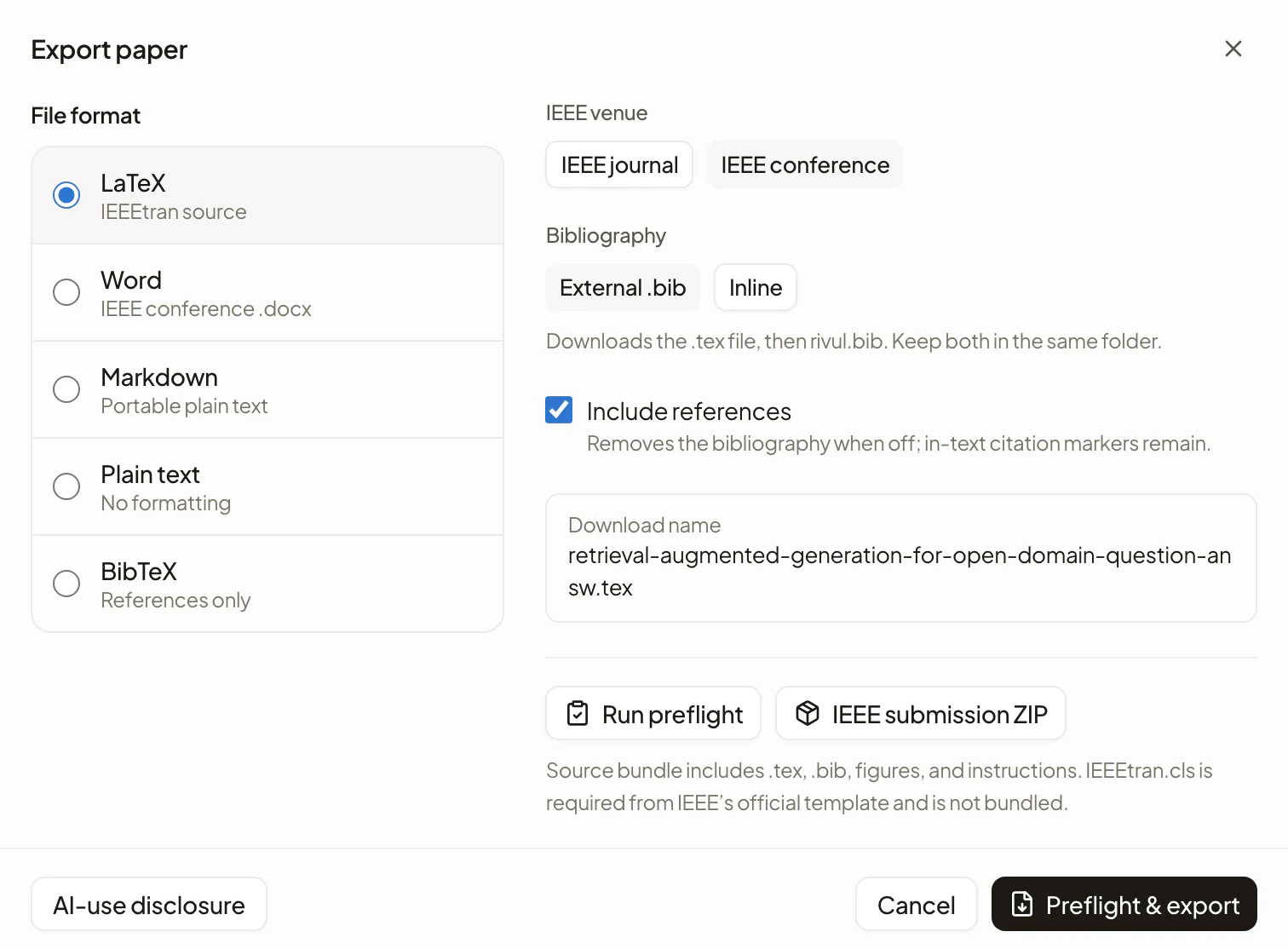
Export IEEEtran LaTeX with an external .bib, or an IEEE-oriented Word file. Preflight estimates page count, checks citations, and calls out required author metadata; the IEEE source ZIP includes figures and compile instructions.
- IEEEtran LaTeX · IEEE Word (.docx) · Markdown
- Preflight: page limit · citations · venue readiness
- IEEE source ZIP: .tex + .bib + figures + instructions
Pre-submission checks
Catch consistency problems before you submit.
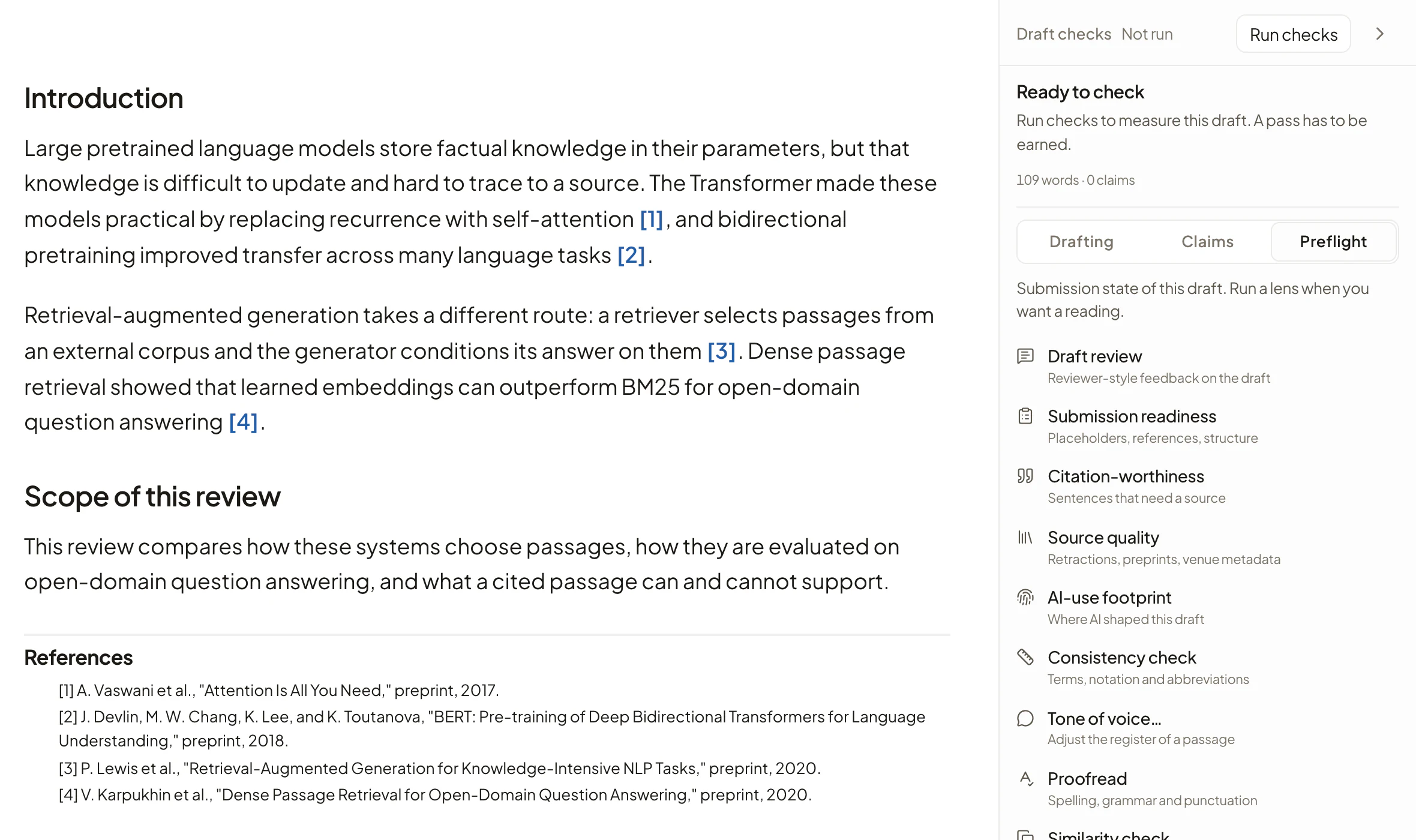
Rivul AI scans your manuscript for mixed US and UK spellings, figure references written both ways, acronyms used before they are defined, and mixed numeral style. It also estimates how much of the draft it wrote or revised. Retracted sources and preprints are flagged against Crossref.
- AI-use footprint: Estimated share of the draft Rivul AI wrote or revised, per section
- Consistency checker: Mixed US and UK spellings, "Fig." against "Figure", acronyms used before they are defined
- Claim check: Flag sentences whose cited passages do not share their wording, or disagree with it
- Source quality: Crossref retraction & preprint detection
Every feature
One workspace for the whole workflow.
Library, citations, analysis, and export live in the editor you write in, from the first sentence to the preflighted submission source.
- Real PDF reader, select-to-explain
- In-reader grounded chat
- PDF upload & fetch
- DOI · arXiv · .bib import
- Zotero import
- OCR for scanned PDFs
- Full-text search
- Tags, status & annotations
- Highlight to copy quote & cite
- Similar-paper discovery
- Scoped Research: Rivul Index / Library / This paper
- Citation-worthiness checks
- Insert answer, with sources
- Grounded autocomplete
- Tracked changes (Accept/Reject)
- Rewrite · expand · polish
- Abstract & title drafting
- Equations (LaTeX / KaTeX)
- Footnotes & figures
- Per-section word counts
- Paper-brief steering
- AI-use footprint
- Metadata-backed references
- Search the Rivul Index
- 5 major styles, in sync
- First-citation numbering
- Registry-resolved metadata
- Hover source cards
- Retraction & preprint flags
- Live bibliography
- IEEE submission source ZIP
- IEEEtran LaTeX (.tex + .bib)
- IEEE-oriented Word (.docx)
- Markdown · plain text · .bib
- Preflight: page & compliance
- Spelling, figure-style & acronym checker
- Author placeholder checks
- Bring your own AI key
- Gemini, OpenAI, Anthropic, xAI, Mistral, or Meta
- Never trained on your work
- Your research remains readable
- Account-data export stays available
Questions researchers ask
Before you start
How are bibliography entries created?
Reference records are resolved from scholarly metadata services such as Crossref and DataCite, then formatted by fixed rules. A resolved record does not prove that generated prose is correct or supported, so inspect the source and run Claim check and Source quality before submitting.
Does it check that a source supports my claim?
Claim check counts how many of your sentence's terms appear in the cited passage, and flags wording that disagrees with it, such as "did not", "failed to", or a reversed direction. It quotes the passage back to you so you can judge it yourself. Terms matching means the words line up, not that the source supports the claim.
Is my unpublished work private?
When you request an AI feature, the relevant draft text and passages are sent to the AI provider you connected, using your own API key. We never train models on your drafts or library, and we never sell your content. Export or delete everything whenever you want.
Where do the sources come from?
Upload PDFs or pull them by DOI, arXiv, Unpaywall, a .bib file, or Zotero. Autocomplete and answers are grounded in those documents; scoped Research can also search the Rivul Index.
Do I need an API key to search papers?
No. Search runs on the Rivul Index of 300M+ scholarly records and needs no key. Your own AI key is used only for AI features.
Can I actually submit what it produces?
Export to IEEEtran LaTeX with a .bib, or an IEEE-oriented Word file. Preflight estimates page count, checks citations, and reminds you to replace author metadata. The source ZIP still requires IEEE's official IEEEtran class before compilation.
Will I be locked in?
Your work remains readable, and Settings provides a complete account-data export. Manuscript export supports LaTeX, Word, Markdown, and BibTeX.
Is it just a chatbot bolted onto an editor?
It's one writing surface: grounded autocomplete, a live citation engine, a real typeset PDF reader, and submission-oriented export, without switching tools.
Research and write for free
Find the evidence and turn it into a paper.
Search scholarly works, read sources, organize evidence, and draft with citations in Rivul AI. Every account is free, and AI features run on your own API key.
Write the paper with its citations attached.
Draft, cite, verify, and export without leaving the editor.
Open the editor with grounded autocomplete and section word counts.
Search scholarly works and keep every citation numbered as you edit.
Run preflight, then export Word, LaTeX, Markdown, or BibTeX.
Sign in with Google.